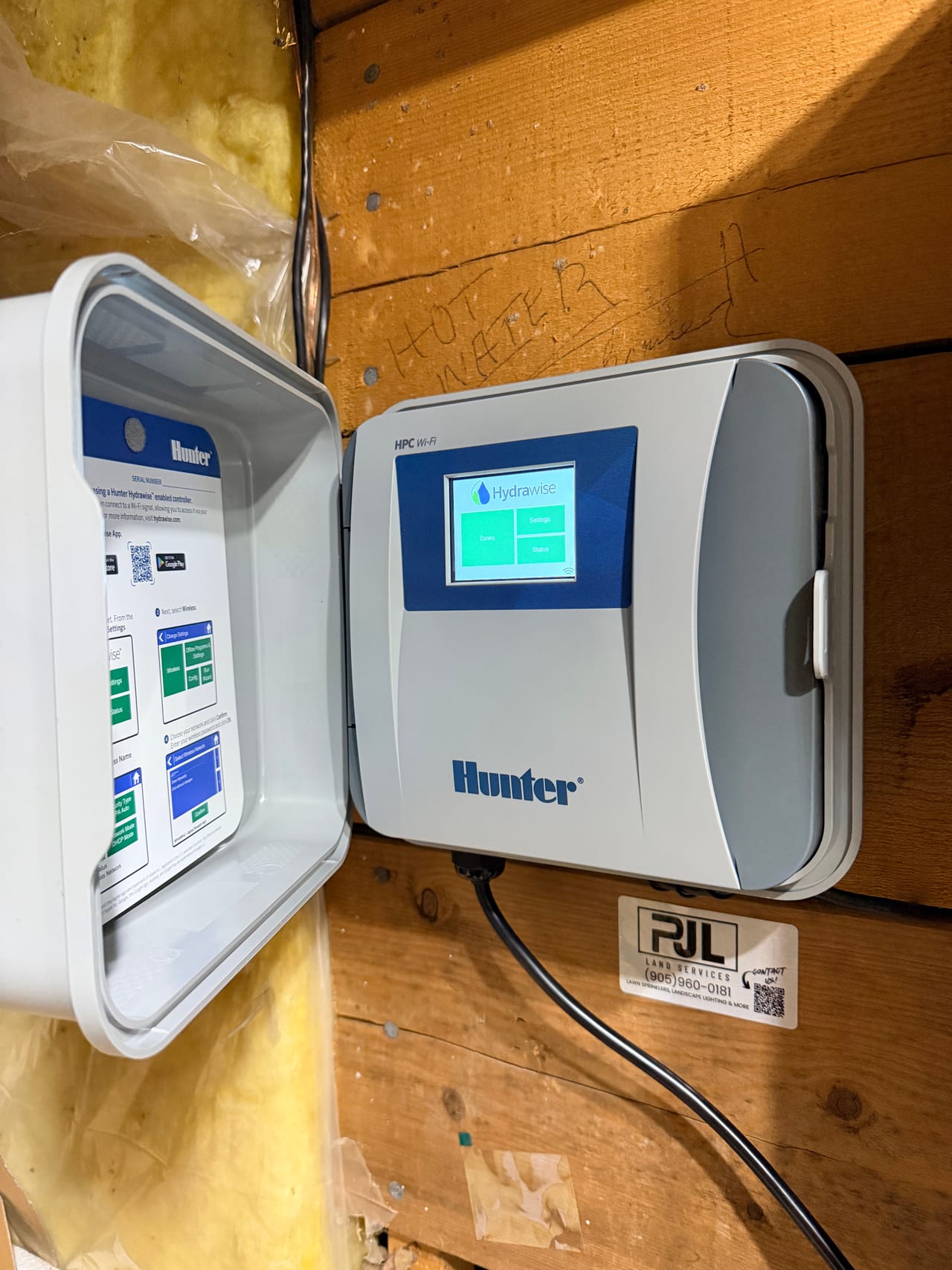
You just moved in, there's a Hunter Hydrawise controller on the garage wall, and the sprinklers seem to run on their own schedule — one you can't see, can't change, and didn't set. The system is still linked to the previous owner's account. Here's how to make it yours, step by step, and what to check before your first Ontario winter with an irrigation system.
How do I claim a Hydrawise controller from the previous owner?
Direct answer: Create a free Hydrawise account, then add the controller using its serial number. If the app says the serial number is already in use, tap Proceed to request an ownership transfer — if the previous owner doesn't respond within five days, the controller moves to your account automatically.
That five-day automatic transfer is the part most new homeowners don't know, and it means you don't need to track down the previous owner at all. When the transfer completes, the controller comes over with its name, zone names, and zone photos intact — so if the previous owner labelled "Front Beds" and "Back Lawn," you inherit that map of your own yard.
Here's the full sequence:
- Find the serial number. It's on the Controller Status screen of the controller itself, on the back of the unit, or on the original packaging if it was left behind.
- Create your Hydrawise account. Download the Hydrawise app (App Store or Google Play) or register at hydrawise.com. The account is free — there's no subscription for basic control.
- Add the controller. In the app, add a new controller and enter the serial number. If it registers cleanly, you're done — skip to connecting Wi-Fi below. If you see "serial number is already in use," continue to step 4.
- Request the transfer. Tap Proceed when prompted. The previous owner gets a notification. If they accept — or simply do nothing for five days — the controller and its configuration move to your account.
- Delete the placeholder. After the transfer, you may see two controllers in your account: the real one and an empty trial controller created during setup. Delete the trial one.
What if the serial number is locked to a contractor, not the previous owner?
Direct answer: Sometimes the installing irrigation company registered the controller under their own business account. If the previous owner says "it was never in my name," contact the company that maintained the system — they can release the serial number or transfer it to you directly.
Ask the sellers (or your real estate agent) who serviced the irrigation system. That company likely holds the controller registration, the zone map, and the service history — all worth having. If they're unreachable or out of business, the five-day transfer request process above still works.
How do I get the controller onto my Wi-Fi?
Direct answer: On the controller's touchscreen, go to Settings → Wireless, select your network, and enter your password. Hydrawise controllers connect on 2.4 GHz Wi-Fi only — if your network doesn't appear, check that your router is broadcasting a 2.4 GHz band.
If you changed internet providers when you moved (most people do), the controller is still looking for the old network and shows as offline. Full walkthrough — including every controller model and the router settings that trip people up — is in our guide to connecting Hydrawise to a new Wi-Fi network. And if the controller screen is dark entirely, start with our Hydrawise offline troubleshooting guide — the most common cause is simply a controller that got unplugged during the move.
What should I check on an inherited sprinkler system?
Direct answer: Locate three things: the controller, the main shut-off valve inside the house (usually the basement or utility room), and the valve boxes in the yard. Then review the watering schedule — the previous owner's settings may not match how you use the yard.
A few things worth doing in your first month:
Walk the system while it runs. Start each zone manually from the controller or app and watch it. Look for heads that don't pop up, spray hitting the driveway or siding, and soggy spots that suggest a leak. Ten minutes now beats discovering a broken head in August.
Find the main shut-off. In Ontario, the irrigation shut-off is inside the house, before the line exits the wall. If a pipe or head ever bursts, this is how you stop the water. Label it.
Review the schedule. Inherited schedules are often years old. Hydrawise's weather-based watering only helps if the underlying zone times make sense — if the previous owner set every zone to 30 minutes and forgot about it, you're overwatering.
Ask for records. Zone maps, invoices, and the name of the company that did the spring openings and fall closings. Service history tells you the age of the system and what's been replaced.
Does the system need professional service every year?
Direct answer: In Ontario, yes — twice. A spring opening pressurizes and inspects the system safely, and a fall closing blows the lines out with compressed air before the ground freezes. Skipping the fall closing risks cracked pipes, fittings, and valves — one of the most expensive avoidable repairs in irrigation.
If you've never owned an irrigation system before, the fall closing is the one deadline you cannot miss. Water left in the lines expands when it freezes, and York Region winters do not negotiate. It's a short annual visit that protects thousands of dollars of buried infrastructure.
One more thing Ontario sprinkler owners should know: PJL offers seasonal services as standalone visits — you don't need to have installed with us or hold any contract. If you're new to irrigation ownership, the one appointment that can't be skipped is the fall closing: we blow out your lines with compressed air before the ground freezes, protecting your system through the winter.
Book a fall closing